
Configuration: departments and services
The Departments and services section under Company in Configuration holds the departments and services that quote items, tasks and diary entries are filed under. Its Lists tab has two lists, Departments and Services. They work like the client lists: how to open Configuration and how to add, edit, end, delete and export values are described in Configuration: client and expense lists. This article covers what is particular to departments and services. For planning them, see Unit 1 - Company.
Who can change departments and services
The section shows to users who can add, change or delete departments or services. That is the Company setup permission at Edit, in the Administration area of a group's permissions. Importing needs its own import permission for departments or services. The stock Kompass Admins group has all of these. For how groups and permissions work, see Create and change user permissions.
Departments
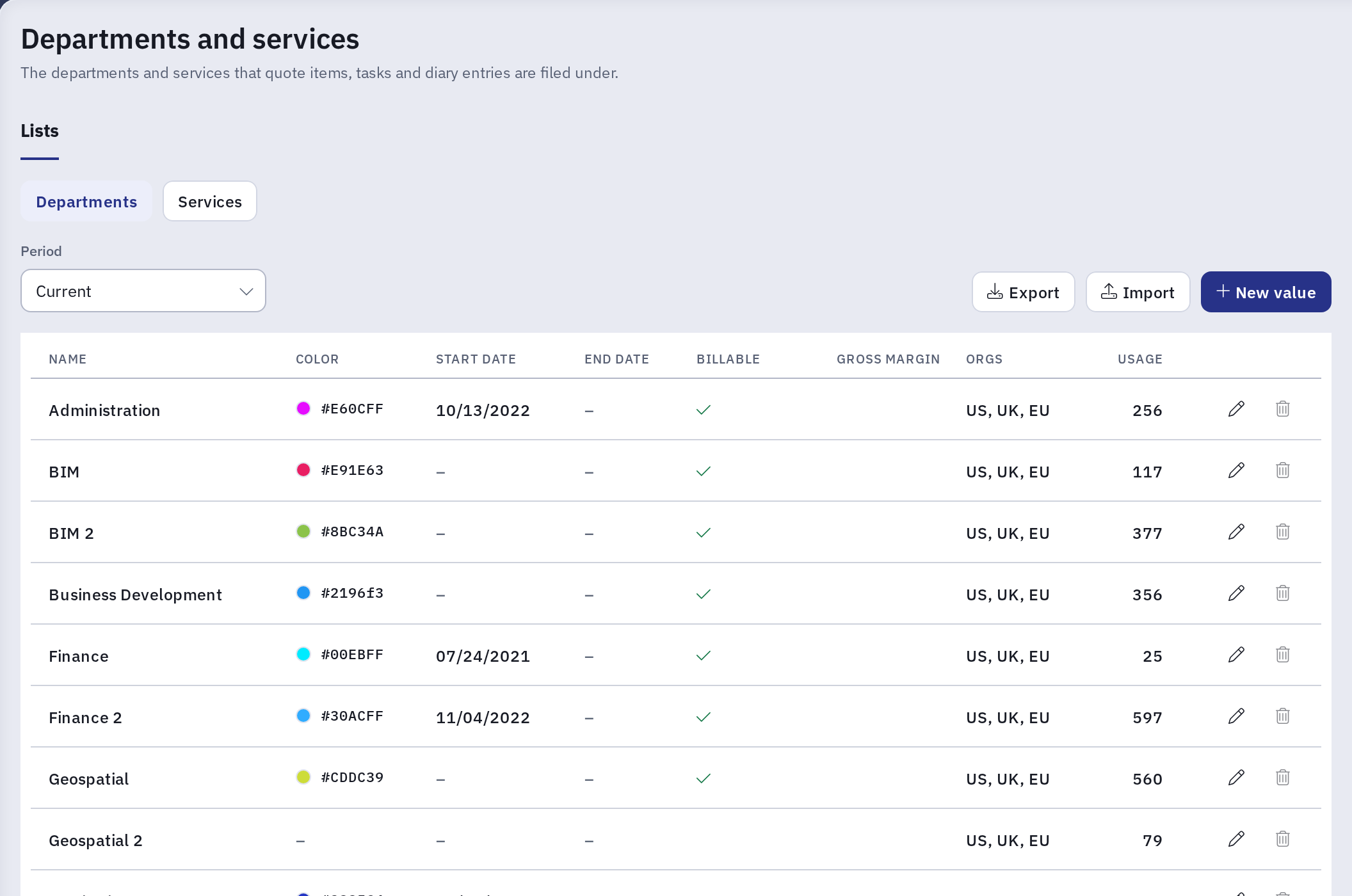
Besides the name, color and dates, each department has two settings:
| Setting | What it does |
|---|---|
| Billable | Whether work in this department is billed to clients. A new department starts ticked. |
| Gross margin | The department's target gross margin, from 0 to 100. It overrides the org's target. Leave it empty to use the org's. |
Departments are enabled per org. If you have access to more than one org, the list shows an Orgs column and the dialog lets you choose them. Both lists show the departments enabled for the org you are working in, plus any enabled for no org, and their services. To see another org's departments and services, switch to that org.
Adding a department with New value also adds a service with the same name in that department, so the department can be used on quote items straight away. Departments created by an import do not get one: import their services as well.
Services
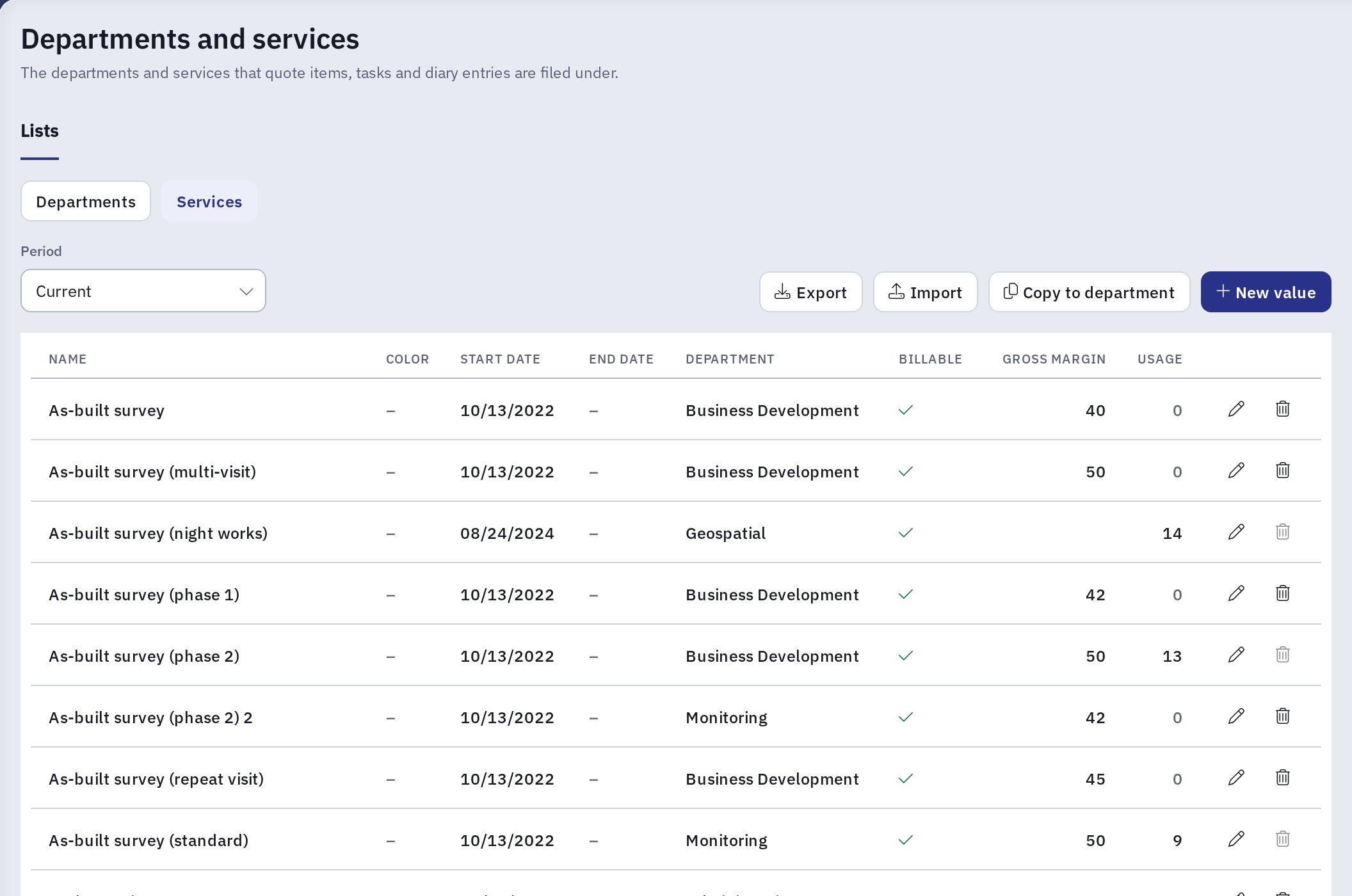
Each service belongs to one department, chosen in Department, and has the same Billable and Gross margin settings. A service's gross margin overrides both the department's and the org's.
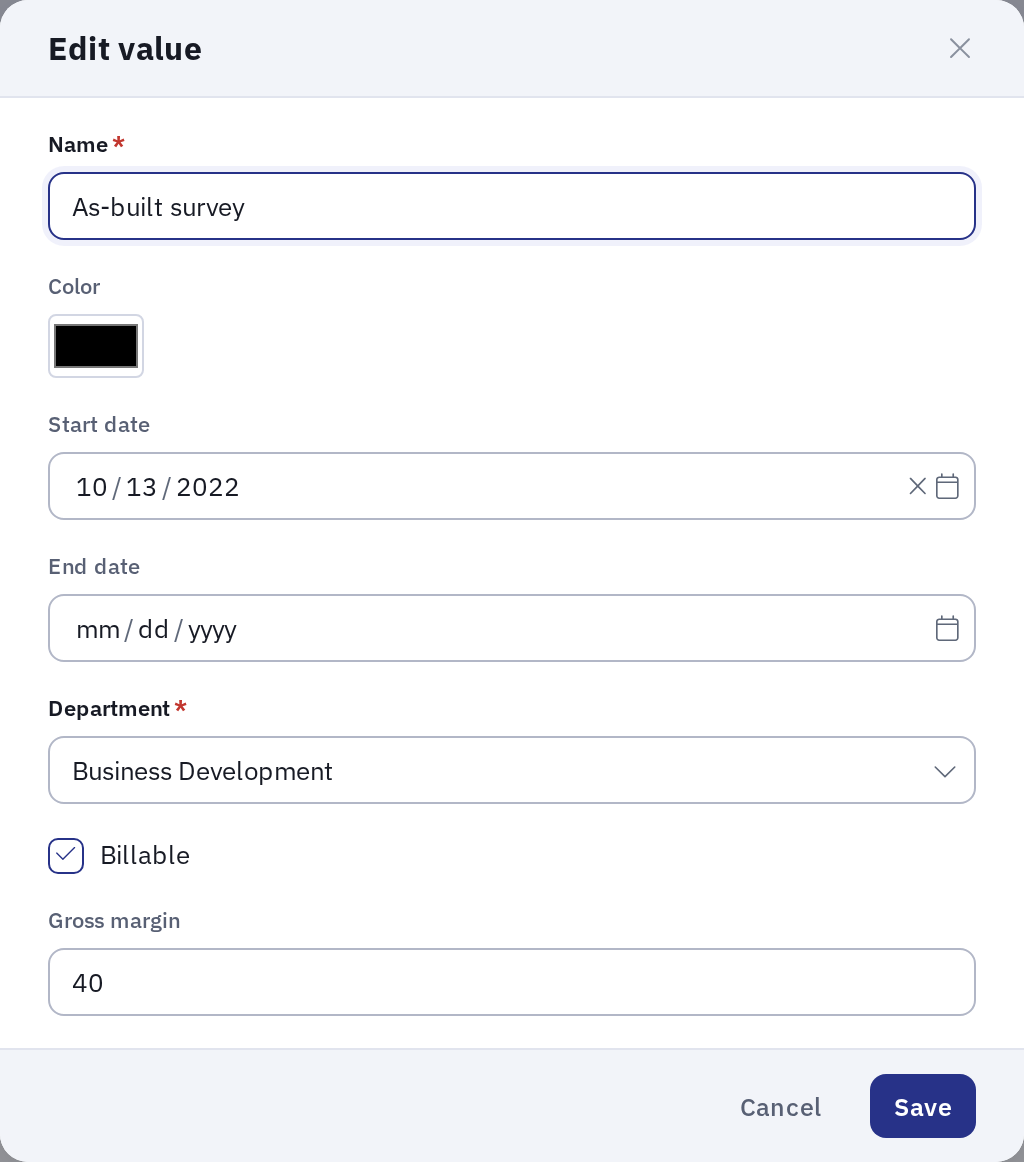
- Color: a new service has no color of its own and uses its department's. Pick a color to give it one.
- Orgs: a service has no orgs of its own. It is offered in the orgs its department is enabled for. Moving a service to another department can therefore change which orgs see it, and Kompass refuses the move when it would change that for an org you do not have access to.
Copy services to another department
The same service name can be used in several departments. To set up services in a department from the ones you already have, click Copy to department above the services list.
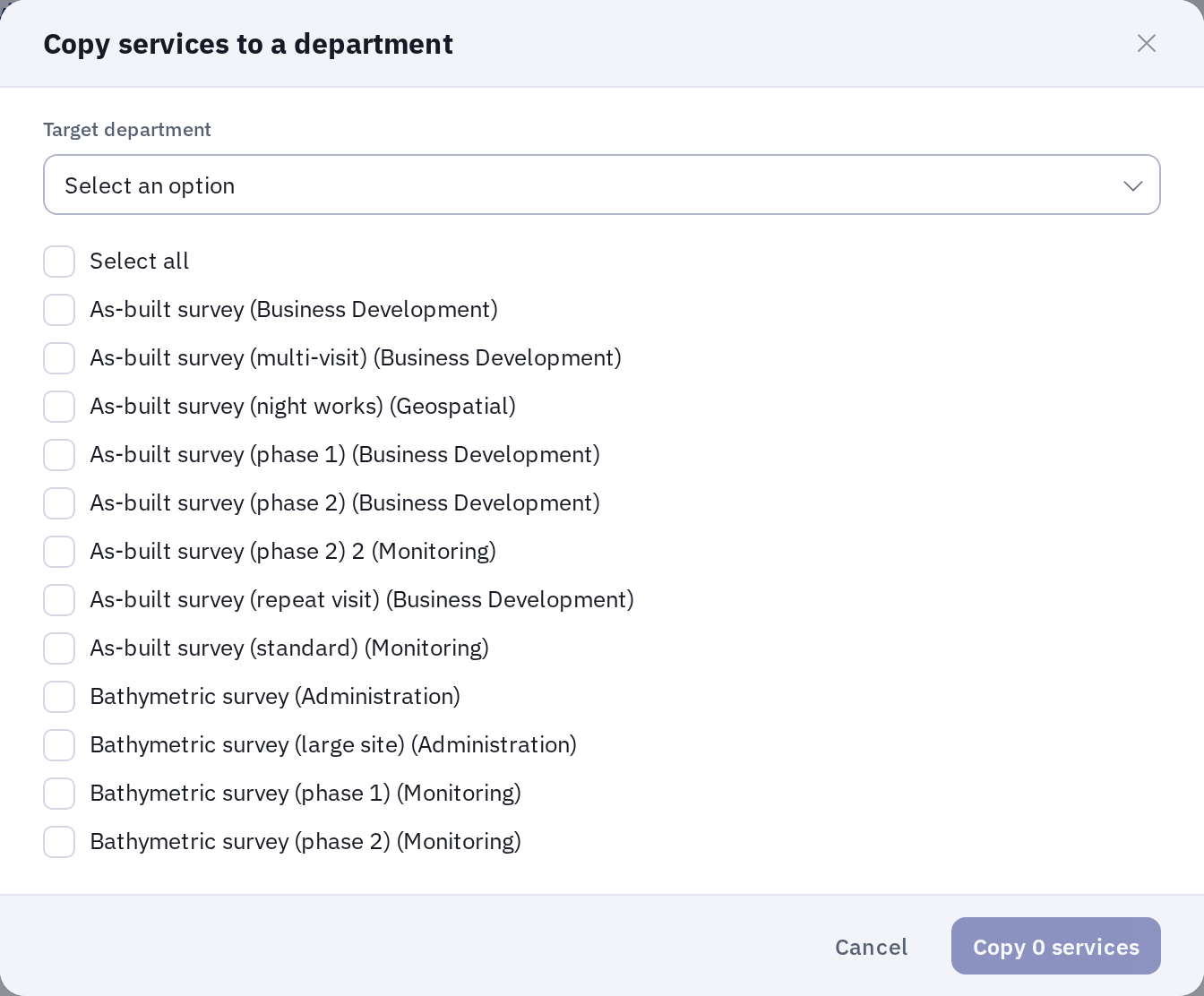
- Choose the Target department. Only current departments are offered.
- Tick the services to copy. Each one shows its department in brackets. Services that are already in the target department cannot be ticked.
- Click Copy N services, where N is the number ticked.
Each copy is a new service in the target department with the same name, billable setting, gross margin, color and dates. The original services stay where they are.
Changing billable or gross margin
Quote items read these settings from their service and department as they are now, so a change applies to every quote item that uses the department or service, including existing ones. The tab repeats this under the list. A quote item is billable only when its service, its department and its project are all billable.
Ending and deleting
Departments and services cannot be merged. Merging could change what existing quote items bill and how invoices and reports group them, so retire a value you no longer use by giving it an End date instead.
A department or service can only be deleted while nothing uses it. The Usage column counts what does. For a department that includes its services and the saved filters that belong to it, so delete or move a department's services before deleting the department. A saved filter that only selects the department in its criteria does not count. Some integration settings, such as the default quote item service for Dynamics 365, also prevent a service from being deleted without showing in Usage.
Export and import
Departments and services have their own import, which works differently from the other lists: rows are matched to existing values by id only, never by name. A row with an empty id creates a new department or service, even when one with the same name already exists. Export and import use these columns:
- Departments:
id,name,billable,colour,gross_margin,start,end, andorg_idororg_name. To create a department, leaveidempty and giveorg_idororg_name: the department is enabled for that org. To update one, give itsid. An exported file leavesorg_idandorg_nameempty, so before importing it, fill in one of them on each row with the org the department belongs to. - Services:
id,name,department_id,department_name,billable,colour,gross_margin,startandend. To create a service, givedepartment_id, ordepartment_namewithorg_id. The export also hasorg_ids, the orgs of the service's department, which import ignores, anddepartment_billable, which import does not accept: delete that column before importing an exported file.
Kompass Admin
Departments and services can still be edited in Kompass Admin, but Configuration is the recommended place.