
Why can't I change the organization of a project?
Description of the issue
You are trying to change the organization in a project, but Kompass does not let you edit the Organization field.

First steps
Once a proposal item is accepted, the project is accepted and the Organization field is locked. The acceptance records the contact of the organization that accepted the proposal item. If you changed the organization afterwards, the project would keep an acceptance by a contact of an organization that is no longer assigned to it. Kompass locks the field to prevent that inconsistency.
How to address the issue
To change the organization of a project, remove the acceptance from its proposal items first. Then change the organization, save the project, and accept the proposal items again.
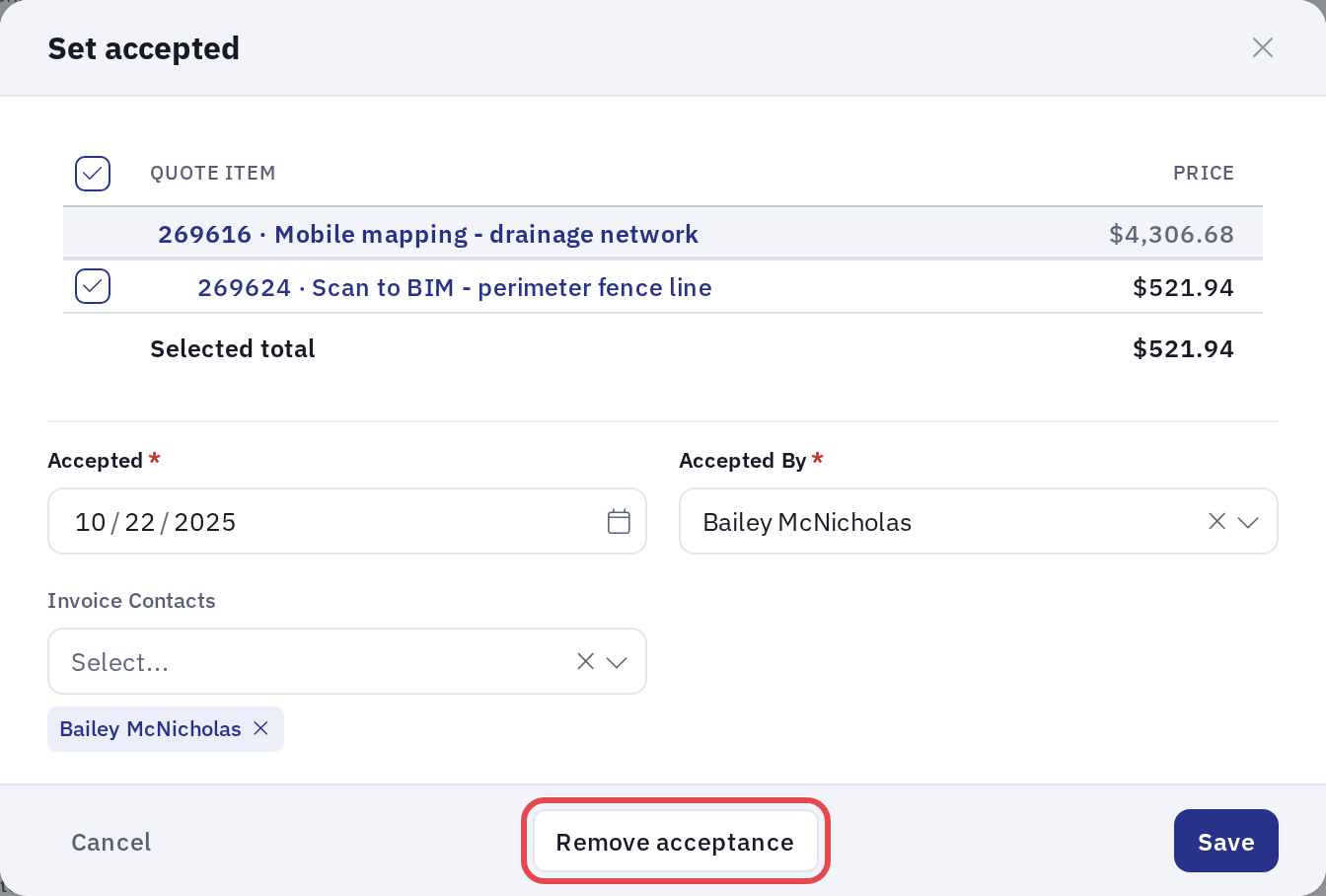
To remove acceptance, select the proposal items, click Actions, choose Set Accepted, and click Remove acceptance in the dialog.
In some cases you cannot remove the acceptance because the proposal item is locked. See Why can't I remove acceptance from some proposal items. If acceptance is difficult to remove because several records are linked to the proposal item, contact the Kompass helpdesk.