
Personal access tokens (PATs)
Overview
Personal access tokens (PATs) let you authenticate to the Kompass API from scripts, integrations, and tools without using your password. Each token is tied to your user account and inherits your permissions.
Creating a token
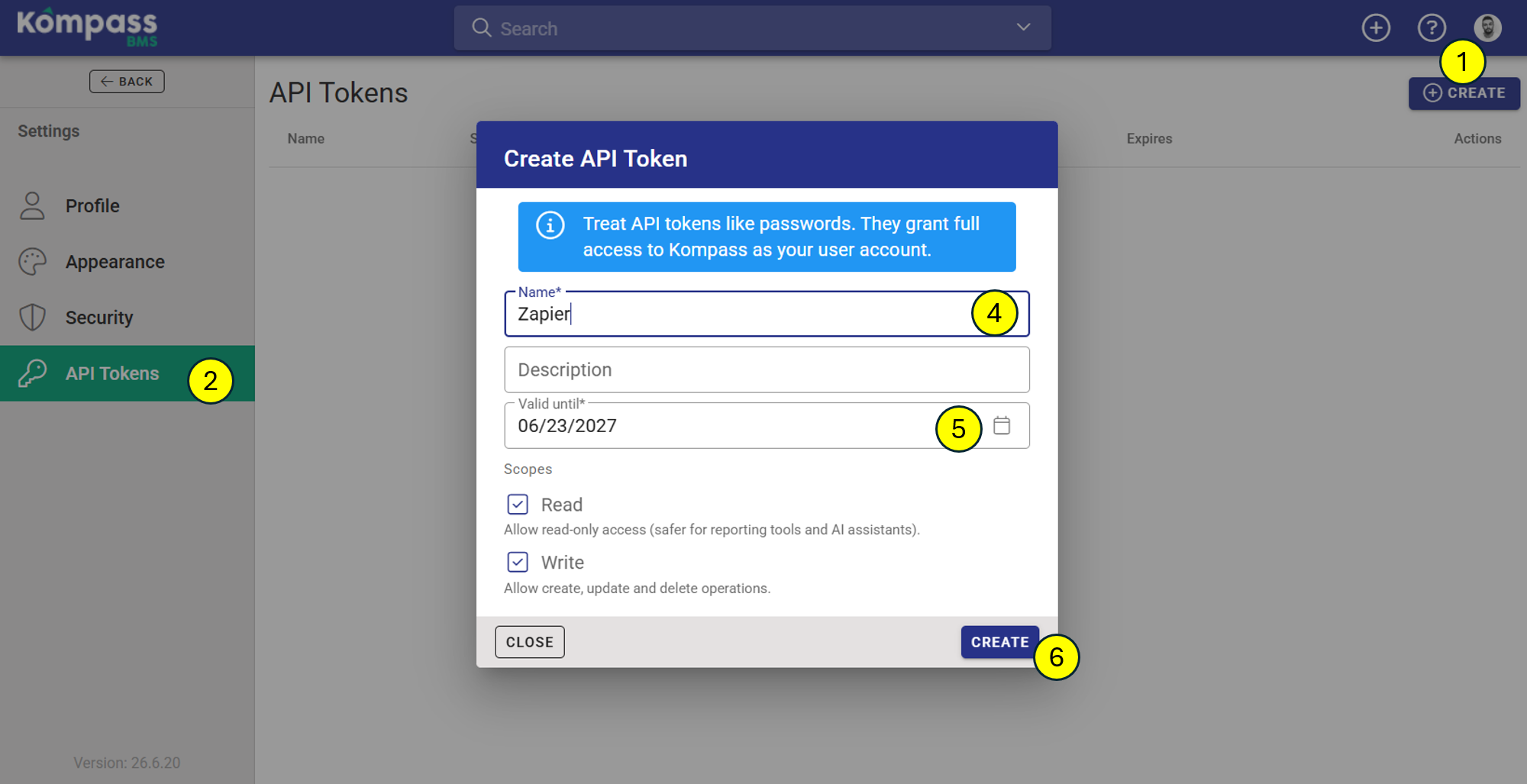
- Sign in to Kompass and open Settings from your user menu.
- Open the API tokens tab.
- Click Create token.
- Give the token a recognisable name (for example SugarCRM sync) and optionally a description.
- Pick an expiry date. By default, tokens expire after one year. Tokens cannot be created without an expiry.
- Click Create.
The token value is shown once immediately after creation. Copy it now and store it somewhere safe (a password manager or a secrets store). Kompass will never show the full value again.
Using a token
Include the token in the Authorization header of every API request:
Authorization: Bearer <your-token>
This works with both the public Kompass API and the Kompass CLI (set KOMPASS_TOKEN ).
Managing tokens
The API tokens tab lists all of your active tokens with their created date, last-used date, and remaining days to expiry. Tokens expiring within 30 days are highlighted in orange; expired tokens are red.
To revoke a token, click the delete icon next to it. The token stops working immediately. Any script using it will start receiving 401 responses.
Security
- Treat tokens like passwords. Anyone with a token can act as you via the API.
- Use a different token per integration so you can revoke one without breaking the others.
- Tokens are not tied to your password, changing your password does not invalidate them. Revoke a token if you suspect it has leaked.
- Tokens respect the same permission checks as the web UI.